
Getting Good Heart Rate Data
...just because it says "bpm" doesn't mean it's right!

This post is one of a series of linked posts about how to train with heart rate. After this post you can continue in two main ways. You can start with the practical posts about using heart rate during intervals and easy/long days. Or, you can start with the “why” behind those practical posts, starting with why we care about HR at all, and some of the challenges of correctly interpreting HR data. Once you have a solid grasp on these, I’d recommend learning a little about some of the longer-term considerations with HR, and what they mean for your training.
In order to make good decisions, we need good data! In our post-truth media world, in some ways we’ve gotten used to trying to guess what’s going on in the world, and then making our decisions based on that guess. Training with heart rate should not be like that! As we’ll see later that beats per minute might not mean exactly what you think it does, but if you don’t even trust the beats per minute, wtf are we even doing here! Getting good HR data isn’t super simple, but with practice it should be pretty reliable.
HR Sensor Types
First things first, if you’re going to make decisions based on your heart rate, then you need to make sure that your data is accurate! That is to say that when your heart contracts, each beat is counted by your device at the correct time. The gold-standard of this is the 12-lead ECG.
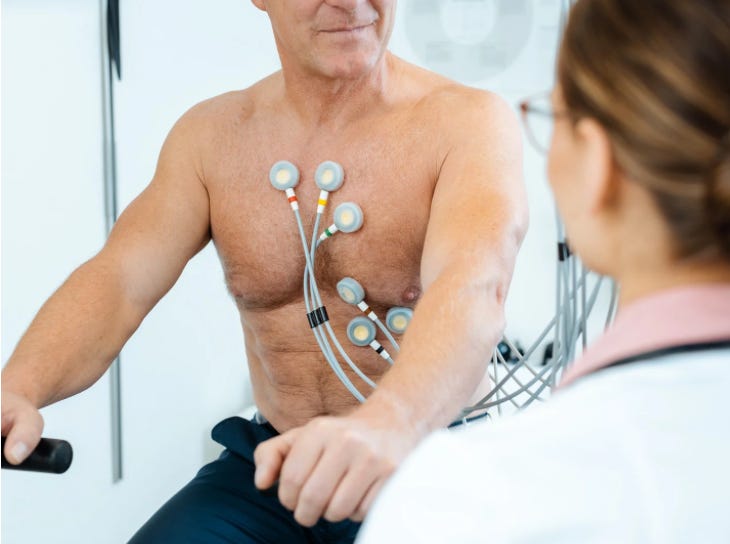
In 1977, the Polar corporation figured out a way to make a portable and wireless two-lead ECG. The chest strap. Largely the chest strap works so well (something like 99% agreement with a 12-lead ECG), that it hasn’t changed much in ~50 years. The batteries are smaller, the communication protocol has changed (simple radio to ANT+ to bluetooth), but the basic technology is pretty much the same. Sure there are times when the electrical connection isn’t great, and it’s pretty obvious (HR is like 30 beats off of what you feel like it should be, and not reacting to changes), but once you can tell it’s working, it just works. More on this is a second.
This is contrasted with photoplethismography (PPG), or optical HR, which has significantly less agreement with that 12-lead ECG (~80% during high intensity sessions). It’s getting better over time, and some monitors work better with some sports, but largely the optical sensor on the back of your watch should not be trusted.
SO, now that you have a chest strap HR monitor, let’s make sure you’re using it the best way!
HR Monitor Best Practices
First things first, make sure that your device is set to a one-second sampling rate. This means that every second, your watch/computer is measuring your HR. In order to save battery, a lot of smart watched now have a “smart” setting, meaning they measure your HR whenever they want. It could be once a second, it could be once a minute. And while this works ok for averages over long workouts, it doesn’t work for shit during intervals, so you’re far better off having it set to one second.
Second, make sure your strap battery is new-ish! These don’t last as long as I’d like, so keep a stash of them around. Just buy a 5-pack off amazon and keep ‘em in your training bag. We’ll do a little troubleshooting in a minute.
Third, make sure you have a little starter moisture. Chest straps work great for almost everyone once you’re sweating (water is an electrical conductor). BUT, especially in the mountains where the air is super dry, you might need to make sure the strap has a little water/spit/conductor gel on it before you put it on.
Fourth, typically I wouldn’t put the strap on, and then drive to the trailhead, and then turn your watch on. Both your strap and your device probably have some kind of battery saving setting where if you aren’t recording the data, the bluetooth switches off, and with some devices it’s hard to get it started again. SO, get everything ready, throw the strap in your bag/pocket, and then once you get to the trailhead, throw the strap on and start recording within a couple minutes.
A quick note on “artifacts.” No HR monitor is infallible! If you all of a sudden see 210 beats per minute, and it doesn’t feel like you’re having a heart attack, then that’s what’s called an “artifact.” Artifacts can be caused by lots of things, like your strap slipping, running under a power-line, a watch receiving an update, all sorts of shit. If you have good HR data, you can see an artifact really clearly in the file, it usually looks like a wacky spike in HR without an increase in pace/cadence/etc.
Use The Damn Lap Button
While this isn’t unique to HR like the rest of this stuff, I think it’s good to have a section here about the lap button, a key tool in training. A couple things:
Turn OFF any auto-lap. In order to have good lap data, you can’t have weird extra laps popping up in the middle of the workout.
Turn OFF any auto-pause. Especially in the mountains, auto-pause doesn’t work. It’s going to pause all the damn time when the grade gets steep, and the watch thinks you’re taking a piss when in actuality you’re just lightly losing the never-ending battle to gravity.
Don’t pause! Pausing your watch should be a very occasional thing used for running into a friend in front of a coffee shop and then actually having coffee with them. Pauses make the data fucked up, and they make it harder to analyze, because I can’t see what happened during the pause, and I care about ALL the data during your workout. SO, instead of pausing,….
Use the lap button. First up, don’t fuck around a lot in your workout! If you’re stopping to adjust gear, or re-tie your shoes, or check your phone, or whatever, every 5 minutes then you’re fucking up the intention of the workout. Stop that shit. Second, any time you’re changing intensity, you should hit the lap button. Ran into a friend and stop to chat for a couple minutes? Hit the lap button. When you start again, hit the lap button. When you start an interval, hit the lap button. When you finish an interval, hit the lap button. Oh my god, want to get double extra gold stars? Go into trainingpeaks and label that shit. “First Interval” “ran into Doug and chatted” etc. This is SO HELPFUL when analyzing the data!
Ok, now that you have the best practices dialed, let’s do some trouble-shooting. Let’s say you’re now getting into your warmup, and your data just isn’t making sense. It’s either just showing zeros (no connection), or the data is just wayyyy off (bad connection).
Troubleshooting No Connection
Turn it off and turn it on again. Duh. Turn your watch off, take the strap off, and start over (including moisture on the strap). If that doesn’t resolve it,
Re-Pair the watch and strap. Go into the watch settings, ‘forget’ the watch, and pair a ‘new’ sensor. If that doesn’t resolve it,
New strap battery, and then just to be safe, I’d re-pair the strap again. If THAT doesn’t resolve the issue, then leave the strap in the car and go do the workout by feel!
Troubleshooting Bad Connection
Wait 5 minutes. We don’t need great data in the first 5 minutes. So if you’re getting numbers at all, but they just don’t make sense, wait five minutes for your body to warm up and start to sweat a little and often the connection will improve. If it doesn’t,
Re-wet the strap. Spit on your fingers, and run them along the inside of the band to try to get a little moisture in there. If that doesn’t resolve the issue,
New strap battery, and then just to be safe, I’d re-pair the strap again. If THAT doesn’t resolve the issue, then leave the strap in the car and go do the workout by feel!
Now that you now that you actually trust the “beats per minute” that your device is showing you, you can start with the practical posts about using heart rate during intervals and easy/long days. Or, you can start with the “why” behind those practical posts, starting with why we care about HR at all, and some of the challenges of correctly interpreting HR data. Once you have a solid grasp on these, I’d recommend learning a little about some of the longer-term considerations with HR, and what they mean for your training.
If you really liked this post, please consider becoming a free subscriber!
And if you REALLY liked this post, please consider becoming a paid subscriber.
If you want to buy my awesome book, check it out here.
And if you want to talk to be about coaching, start here!
Oh and check out The Better Podcast on Apple and Spotify.
